
It doesn’t have to be hard or take a lot of time to make entertaining films for social media. Thanks to the rise of crop video online tools, you can now trim, format, and optimize your clips right in your browser. You don’t have to install any software or learn how to utilize complicated editing suites, which is excellent. This post will show you how to crop videos for TikTok, YouTube, or Instagram fast, efficiently, and professionally using tools like Adobe’s online cropper.
Being able to crop video online is wonderful for people who are usually on the move because it saves time and requires no installation. For additional tips and tools, check out themiddle.co for more information.
If you don’t have a lot of time, online cropping tools are excellent. You don’t need to install them, and they seamlessly integrate with the majority of social media platforms immediately. You can do the following with these tools:
- You can upload videos from your computer or from the cloud.
- Pick preset aspect ratios that look best on different platforms.
- You can crop as you wish to focus on your subject.
- You can obtain the edited clip right away in formats that are ready to be uploaded.
- You may clip movies from home, work, or while you’re on the go without losing quality or speed.
1. Pick a good tool for cropping online.
One step at a time: How to fast-cut movies in your web browser
Choose an application like Adobe Express, VEED.IO, or Kapwing’s Crop Video. These sites are free, easy to use, and operate with many different aspect ratios.
2. Upload your video to the internet.
Click the upload button after choosing your video file.
Most tools can read MP4, MOV, and other common file types.
It normally just takes a few seconds to process.
3. Choose the Aspect Ratios that are Already Set
Select 9:16 (1080×1920) for Instagram Stories or TikTok.
For Instagram postings, pick either 1:1 (1080×1080) or 4:5 (1080×1350).
For YouTube, pick 16:9 (1920×1080).
Many products have a “Free Mode” that lets you crop by hand if you want to be really precise with your framing.
4. Change the part of the photo you want to crop.
Please adjust the size and position of the crop box to effectively frame your subject.
To place items in line, use grid overlays or snap-to options.
Put important things, such as faces, activities, or objects, in the middle or at the spots where the rule of thirds intersects.
5. Look ahead and become better.
Play the cropped preview in the editor.
If you need to, you can adjust or change the size of the crop.
6. Get Your Video Cropped
Press the “Download” or “Export” button.
Choose the format, which is commonly MP4 for social media.
You may need to sign up for a free account to use free tools to get rid of watermarks. Usually, paid plans let you use all the features.
How to Pick the Best Crop for Different Platforms
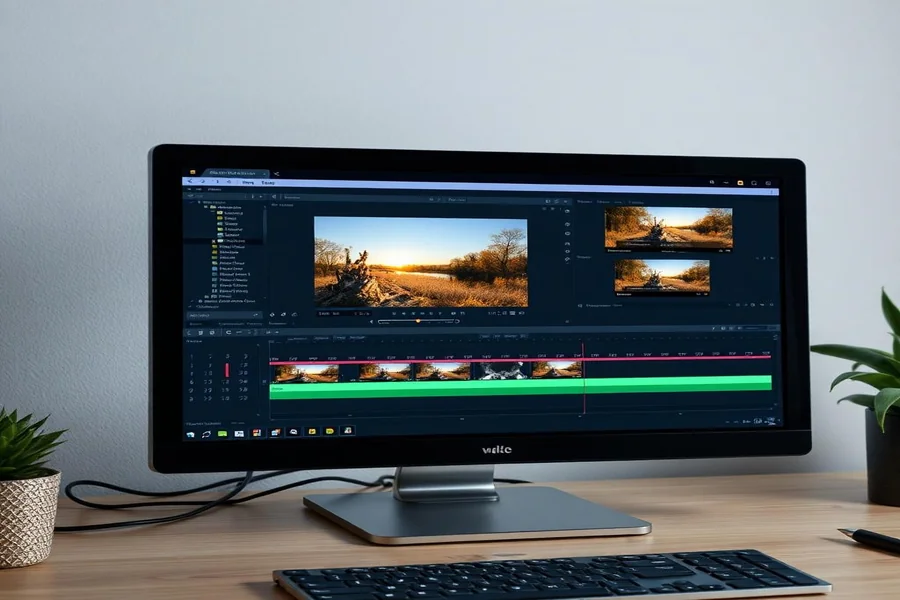
The aspect ratio and frame of your content must be proper for it to work. Here are some sizes and tips that work well:
The recommended aspect ratio is 9:16 (vertical) for Instagram and TikTok Reels. The dimension of the cropped image is 1080 by 1920 pixels. Put faces or significant acts all around the screen.
1:1 (square) for posts on Instagram and Facebook. After cropping, the image is 1080×1080 pixels. Verify to see that the subject is in the middle and even.
You should watch Instagram Stories and Reels, as well as TikTok, in full-screen vertical mode at 9:16. You should watch YouTube videos in widescreen mode at 16:9. Cut down to 1920 by 1080 pixels, which is the best size for movies.
Use the aspect ratios that Facebook and Twitter propose. 16:9 is a frequent ratio for wide views, whereas 4:5 or 9:16 is a common ratio for vertical views.
Most online programs come with a cropping grid or rule of thirds overlay, which you can use to align your topic perfectly. This helps the content look neat and professional.
Always Get the Right Fit When Cropped.
Step 1: Put your video on the internet.
Step 2: Choose the preset for the best aspect ratio for the platform. This automatically crops the best frame.
Step 3: Change the size of the crop box to show the most important part of your video.
Step 4: Look at the preview to see if the framing is right.
Step 5: Choose the format and quality you want and download it.
You won’t have to cope with sophisticated editing methods because this only takes a few minutes.
Why Crop on the Web?
No setup: You can use any OS or device to work.
Changes that happen quickly: Defaults and easy-to-use interfaces make it easy for novice users to resize.
Export right away: Get crop-ready footage quickly so you can meet your deadlines.
This tool works on multiple platforms: you can cut once and export in the correct aspect ratio to create content suitable for more than one platform. for more than one platform.
How to Pick a Content Crop
Check the aspect ratio of the platform: For Instagram, use 1:1; for TikTok and Stories, use 9:16; and for YouTube, use 16:9. Pay attention to the subject. Put your key part in the middle or along the rule of thirds to make it stand out.
Leave it the same: if you crop too much, you’ll lose vital bits. Leave some space for context or movement.
Think about telling stories: Cropping can help people focus by making activities and feelings separate.
How Adobe Express makes cropping easier Adobe Express’s online video cropper is simple to use and includes many handy capabilities.
Aspect ratios that have already been set: Choose with one click on all platforms.
Freeform cropping: Move the crop area for the ideal frame. Quickly preview your crop before finishing.
Options to download: Export to MP4 or other social media-friendly formats with a few clicks.
AI-based tools: Auto-framing and quality improvement provide instant polishing.
Busy producers can easily construct professional-looking movies without editing or installing software with these solutions.
Let’s conclude with some productivity tips.
Prepare your video: If possible, record in your preferred aspect ratio. Cropping is easier and more accurate when the first and last frames match.
Use templates: Use Adobe Express templates for each platform to speed your work.
Upload lots: Prepare to batch-crop and export videos.
Always anticipate: Check your frame before downloading to avoid reshooting or editing.
Adobe Express and other crop video online tools are ideal for busy multimedia creators who need to make changes quickly. Creating professional social media videos is easy with these online tools. Convert videos to TikTok, YouTube, Instagram, and Facebook formats without downloading or paying for expensive editing suites. You can accomplish these goals because you control the image’s aspect ratio, cropping, and immediate download. Learning to crop photographs for each channel may boost engagement, brand awareness, and storytelling. Additionally, it will save time and improve your work. Social media influencers, marketers, and amateur artists can quickly and effectively improve results with online cropping tools. Your next viral video is just a few clicks away. Explore more creative tips and tools at sizeframe.