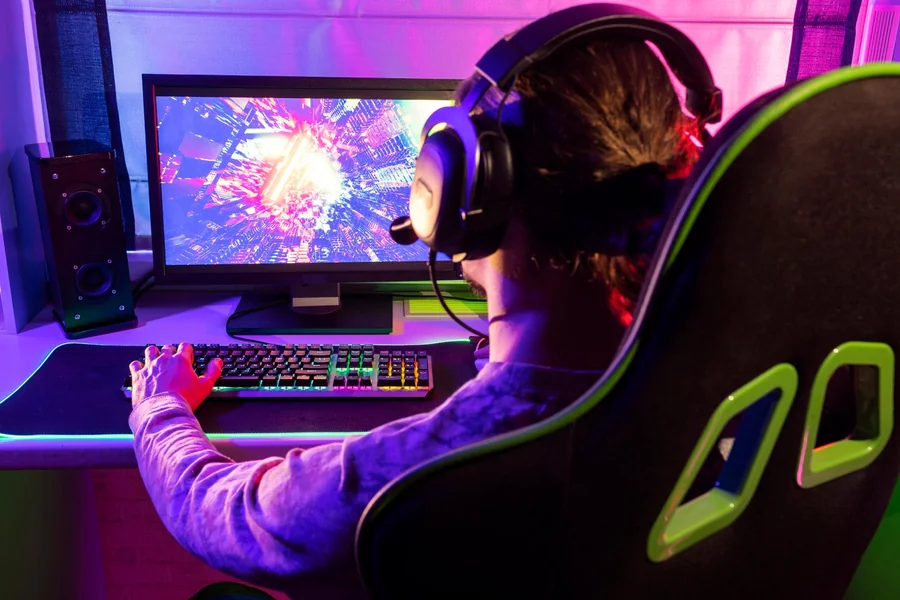


Creating a comfortable gaming space in a limited area may seem challenging, but with the right approach, it can become both functional and stylish. This Console Gaming Setup for Small Rooms guide will help you maximize every inch of your space without sacrificing performance or comfort. The website quikconsole com provides helpful resources.
Small rooms require thoughtful planning. Unlike large gaming setups, where space is not a concern, compact rooms demand efficiency. You need to balance your console, display, seating, and accessories in a way that avoids clutter while maintaining accessibility.
The key is to focus on essentials. Instead of trying to fit everything into your room, prioritize what truly enhances your gaming experience. A clean, minimal setup not only saves space but also improves focus and comfort during long sessions.
Choosing the Right Furniture for Limited Space
Furniture plays a major role in small-room gaming setups. Bulky desks and oversized entertainment units can quickly make the room feel cramped, so it’s important to choose wisely.
Start with a compact TV stand or wall-mounted shelf. These options reduce floor usage and create a more open feel. Wall-mounted solutions are especially effective because they free up valuable space underneath for storage or movement.
Seating is another important factor. Instead of large sofas, consider a slim gaming chair or even a foldable seat. Some gamers prefer floor seating with cushions, which can be stored easily when not in use.
Multi-functional furniture is also a great choice. A desk that doubles as a gaming station and study area can save significant space. Look for designs with built-in storage to keep accessories organized.
Optimizing Display and Console Placement
The placement of your screen and console can make or break your setup. In small rooms, every angle matters.
Position your display at eye level to avoid strain during long gaming sessions. If possible, mount your TV or monitor on the wall to save space and create a cleaner look. Adjustable mounts allow you to tweak the angle for the best viewing experience.
Your console should be placed in a well-ventilated area. Avoid tight, enclosed spaces, as consoles generate heat and need proper airflow. Open shelves or stands are ideal for keeping your device cool and accessible.
Cable management is equally important. Tangled wires can quickly make a small room feel messy. Use cable organizers, clips, or sleeves to keep everything neat and out of sight.
Smart Storage Solutions to Reduce Clutter
Clutter is the biggest enemy of small spaces. Without proper storage, your gaming setup can become overwhelming and disorganized.
Vertical storage is your best friend. Use wall shelves to store games, controllers, and accessories. This keeps items off the floor and creates a more spacious feel.
Storage boxes or drawers can help keep smaller items organized. Labeling them makes it easier to find what you need without creating a mess.
Consider using hidden storage options, such as furniture with compartments. This allows you to maintain a clean appearance while still having easy access to your gaming gear.
Keeping only essential items in your setup is another effective strategy. The less clutter you have, the more comfortable and visually appealing your space will be.
Lighting and Atmosphere for Small Gaming Rooms
Lighting can significantly impact how your gaming space feels. In small rooms, the right lighting can make the area appear larger and more inviting.
Avoid harsh overhead lights. Instead, use soft ambient lighting to create a relaxing atmosphere. LED strips behind your TV or desk can add a modern touch without taking up space.
Natural light is also beneficial. If your room has windows, position your setup to take advantage of daylight. However, make sure to control glare on your screen with curtains or blinds.
Color choice matters as well. Light-colored walls and minimal decor can make the room feel more open. Combining this with subtle lighting creates a balanced and comfortable environment.
Essential Accessories for a Compact Setup
Accessories should enhance your setup, not overcrowd it. Choosing the right ones can improve both functionality and aesthetics.
Wireless controllers and headsets are ideal for small spaces. They reduce cable clutter and provide more flexibility in movement. A compact charging dock can keep your devices organized while saving space.
A small soundbar or headset can replace bulky speaker systems. This ensures high-quality audio without taking up too much room.
Consider investing in a cooling stand or fan for your console, especially if your room tends to get warm. This helps maintain performance and extends the life of your device.
Lastly, a simple controller stand or wall mount can keep your gaming area tidy and easy to navigate.
Final Thought
A well-designed gaming space doesn’t require a large room. With smart planning, efficient furniture, and thoughtful organization, you can create an impressive Console Gaming Setup for Small Rooms that feels both comfortable and functional.
The goal is not to fit everything into your space but to create a setup that works for you. By focusing on essentials, minimizing clutter, and using creative solutions, even the smallest room can become a perfect gaming zone.
Remember, a clean and organized environment not only improves your gaming experience but also makes your space more enjoyable overall. With the right approach, small rooms can deliver big gaming satisfaction.
FAQs
What is the best layout for a small gaming room?
A simple layout with a wall-mounted display, compact furniture, and minimal clutter works best for small gaming rooms.
Can I use a large TV in a small room?
Yes, but it’s important to position it properly and maintain a comfortable viewing distance to avoid strain.
How do I reduce cable clutter in my setup?
Use cable organizers, clips, and wireless accessories to keep wires neat and out of sight.
Is a gaming chair necessary for small rooms?
Not necessarily, as compact chairs or floor seating options can be more space-efficient.
How can I improve lighting in a small gaming setup?
Use soft ambient lighting, LED strips, and natural light to create a comfortable and spacious feel.
What accessories are essential for small setups?
Wireless controllers, compact audio devices, and storage solutions are essential for maintaining a clean setup.
Can I create a gaming setup on a low budget?
Yes, by choosing affordable furniture, using DIY storage solutions, and focusing on essential items only.